

Your BJJ tournament academy name needs its own check
Quick answer: Confirm the academy and team designation your coach wants you to use for the particular tournament. Then check the event registration itself, because changing an account profile may affect only future entries. Use the organizer's correction process before its deadline and verify that any required academy approval has been completed.
Changing the academy on your profile can leave the academy on an existing tournament entry unchanged.
Smoothcomp says that explicitly in its account guidance. It is the kind of distinction that is easy to miss: one screen now looks correct, so the athlete assumes the tournament must have changed with it. The event record may still contain the old selection.
The fix starts with identifying the record you mean to update. Before that, there is a smaller question worth asking your coach: which exact academy and competition team should appear on this entry?
Ask for the tournament name, not just the gym nickname
A school can be known in the room by a short name while using a longer designation in an organizer's system. Branches, an association and a competition team can make a familiar banner less helpful than an exact selection.
Ask the coach or academy manager which name to choose for the actual event. Give them the organizer and the division you intend to enter. If several options look nearly identical, send the relevant choices rather than selecting the one with the most recognizable logo.
In a hypothetical school with two branches, both locations might share branding while the competition instructions specify a particular team. That is an example of why the question matters, not a claim that all multi-site academies organize their entries this way.
Keep the answer with the entry information. It gives you something to compare against the registration summary later. A teammate's selection can be useful to ask about, but it is not necessarily the answer for another division, academy branch or organizer.
Academy, association and team can be different fields
The IBJJF academy help page distinguishes the terms. It describes an association as bringing academies together, while a team is a designation registered under an academy for championship registrations. Athletes request membership under an academy and enter championships under a team.
That explains why the right answer may not be the one a newcomer expects from the wall sign. It also explains why membership information and an event team selection should be checked as separate records, even when the same words appear in both.
Do not use those IBJJF definitions as a promise about every platform. Read how the organizer labels its own fields. A drop-down called affiliation may not be asking the same question as a drop-down called academy.
The IBJJF membership guide covers the membership process separately. For this task, the aim is narrower: know which designation belongs on the tournament entry you are about to submit, and who at the academy can confirm it.
Changing a profile is not the same as editing an entry
Smoothcomp's academy-settings guidance says those settings affect future registrations. If an existing entry or result shows the wrong academy, it directs readers to a separate correction process.
Consider a hypothetical athlete who changes schools after entering an event. They update the academy in their account settings and see the new school in their profile. That confirms a profile change. It does not establish that the already-created event entry uses the new school.
Open the registration for the specific event and inspect the academy information there. Keep the event date and division visible so you do not mistake an old entry or another upcoming tournament for the one you intended to change.
This is also why I would avoid treating a public profile page as the final check. A platform can store account information, registration information and results for different purposes. Find the record attached to the tournament rather than asking one updated screen to prove that all the other screens now agree.
Follow the event edit through any approval step
Smoothcomp's registration-correction instructions explain that an athlete can edit the academy while the registration-edit period remains open. If the selected academy requires manual approval, its manager must accept the change.
The practical consequence is that choosing a new name may begin a process rather than complete it. Tell the relevant academy contact what you have requested and ask whether any approval is waiting for them. Then return to the entry to verify its status.
Use a short record of the actual change:
The event and registration you edited.
The academy or team you selected on the coach's instruction.
Any approval or organizer response still outstanding.
Do not turn that record into a second application with slightly different details. Keep the organizer's existing entry as the object you are correcting. A duplicate can make it harder to establish which registration, payment and division you mean.
If the system does not show the change you expected, ask through the published support route. Describe the exact event and record rather than saying only that your profile is wrong.
Read the organizer's deadline before relying on the edit button
A platform can offer a way to edit while the organizer limits when a particular change is allowed. Grappling Industries' rules state that competitor team or affiliation changes cannot be made on event day or after the event has concluded.
That is a concrete reason to check before tournament morning. The presence of an account-settings screen does not override the organizer's restriction. An athlete can still have access to their account while a requested event change is no longer available.
For an IBJJF championship, use the deadlines and authorized correction process published for that event. Do not carry a date from another organizer or another weekend into the decision. Your coach may need to handle a particular correction, so give them time to respond within the relevant process.
Our guide to tournament registration corrections covers division changes more broadly. Academy details deserve the same attention to the actual entry and deadline, without turning the task into an attempt to rearrange the bracket.
If the academy is missing, involve the person who manages it
A missing name is not solved by choosing another famous team that appears in the list. Ask the academy manager whether the school is registered under a different designation or needs to complete the organizer's registration process.
IBJJF's help page says athletes must apply under a registered academy with a listed instructor. It directs people who cannot find their school to discuss the appropriate academy and professor with their instructor. That is a different answer from independently assigning yourself to an unrelated name.
Smoothcomp's account guidance also describes academy approval settings. Some academies are open to joining through the platform; others require approval. If the request is pending, speak to the manager responsible for that academy's page.
A website problem does not require a public argument about affiliation or loyalty. It requires the right person to identify the record and the step that is missing. Keep the request factual: this is the academy designation I was told to use, and this is what the organizer's system currently shows.
Verify the event record once more before the deadline passes
After an approved correction, reopen the registration and confirm that the intended name appears. Check that the rest of the entry still describes your actual event and division. You are verifying the outcome of the change, not assuming that sending a message completed it.
If a result later shows the wrong academy, the route can be different again. Smoothcomp's guidance directs athletes to the event manager for help with result statistics; its support team does not make those event decisions on the organizer's behalf.
That distinction is worth remembering without postponing the initial check. Correcting a future entry and requesting a correction to an existing result are separate tasks, with different consequences and permissions.
For a hypothetical athlete entering several events in the season, keep each confirmation attached to its own competition. A corrected entry in one tournament does not establish that another registration changed too. The small administrative habit is simple: read the academy field on the entry you are actually going to use.
The takeaway
The right academy designation needs an answer from your school and a place in the actual tournament record. Keep academy membership, profile settings and an existing event entry separate long enough to check each one correctly.
Make any correction through the organizer's process, finish the approval step and verify the outcome before the relevant deadline. A familiar name on your profile should not be doing the work of an unchecked registration.
Choose the event before checking its entry process
Browse BJJ tournaments on Let's Roll, then use the chosen organizer's official registration instructions for academy and team selections.
FAQ
Does changing my academy on Smoothcomp update an existing entry? Its account guidance says academy-settings changes affect future registrations. Open the particular event registration and follow the applicable correction process for an existing entry.
Which team should I choose when several names look similar? Ask your coach or academy manager for the exact designation used at that tournament. Do not assume a branch, academy and association are interchangeable selections.
Can I change team details at the event? Check the organizer's rules before relying on that. Grappling Industries prohibits team or affiliation changes on event day and after the event. Other organizers have their own deadlines and processes.
Who fixes the academy shown in an old result? Smoothcomp directs athletes to the event manager for result-statistics corrections. Identify the event and entry clearly; changing a current profile alone does not establish that an old result will change.

Tess Hanley
Tess Hanley reads the rulebooks, the entry fees and the fine print. When a federation or a gym changes something, her first question is who ends up paying for it.
Related Posts

ADCC 2026 results: the stories that survived the predictions
ADCC 2026 results from Krakow: Jaworski, Maciel, Crevar, Pena, the women's champions, and the superfight outcome, with official podiums and match context.
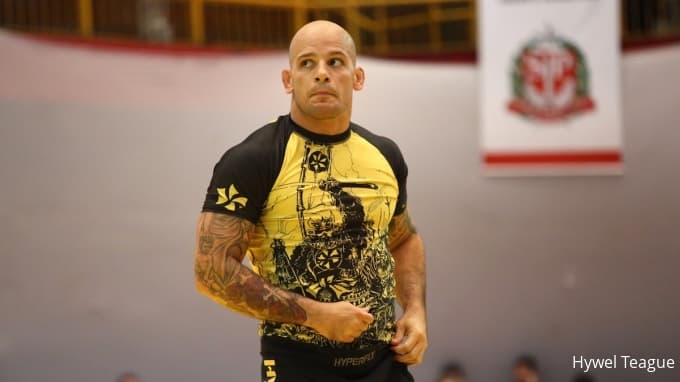
Xande Ribeiro: from absolute titles to the masters mat
Explore Xande Ribeiro's absolute Worlds victories, two ADCC titles, Six Blades, and the distinction between his 2022 Worlds farewell and later masters gold.

Bernardo Faria: the champion who kept asking questions
Follow Bernardo Faria from Juiz de Fora and Alliance to the 2015 Worlds and BJJ Fanatics, with context on his competition game and move into teaching.
Comments (0)
Loading comments...